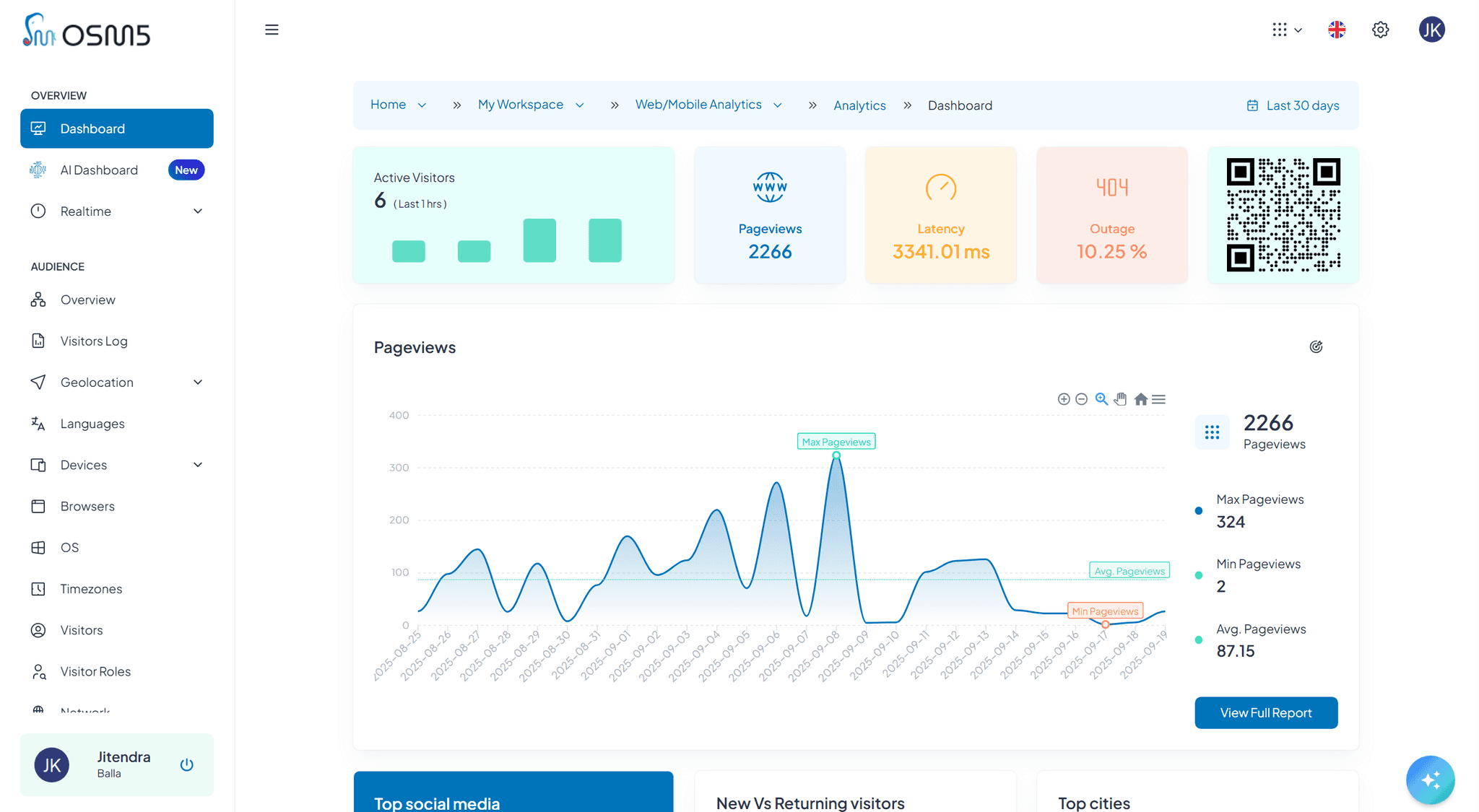
Simple Setup. Powerful Results.
Under 10mins.
Our guided 5-step setup gets you from tracking code creation to real-time analytics in minutes. Choose your privacy preferences, configure tracking levels, and start collecting insights immediately. No technical expertise required.
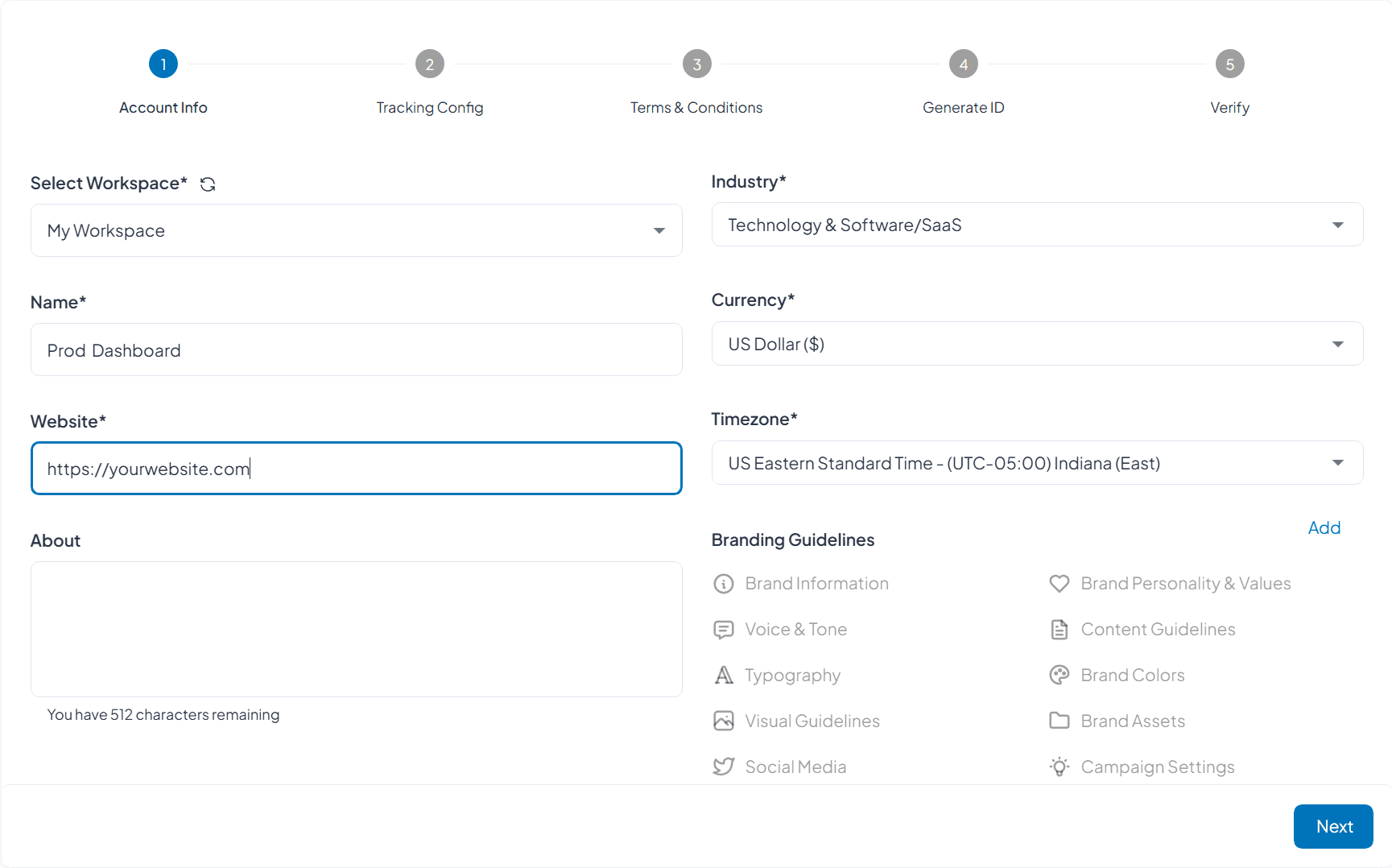

How It Works
Our streamlined onboarding process guides you through every decision, from privacy configuration to code generation. Each step is designed to match your organization's values and business goals while ensuring maximum data quality and user respect.
Account Information
Account Setup Tailored to Your Industry
Provide basic information about your workspace, industry, and business model. This helps us pre-configure relevant reports, suggest optimal tracking settings, and provide industry-specific insights from day one.
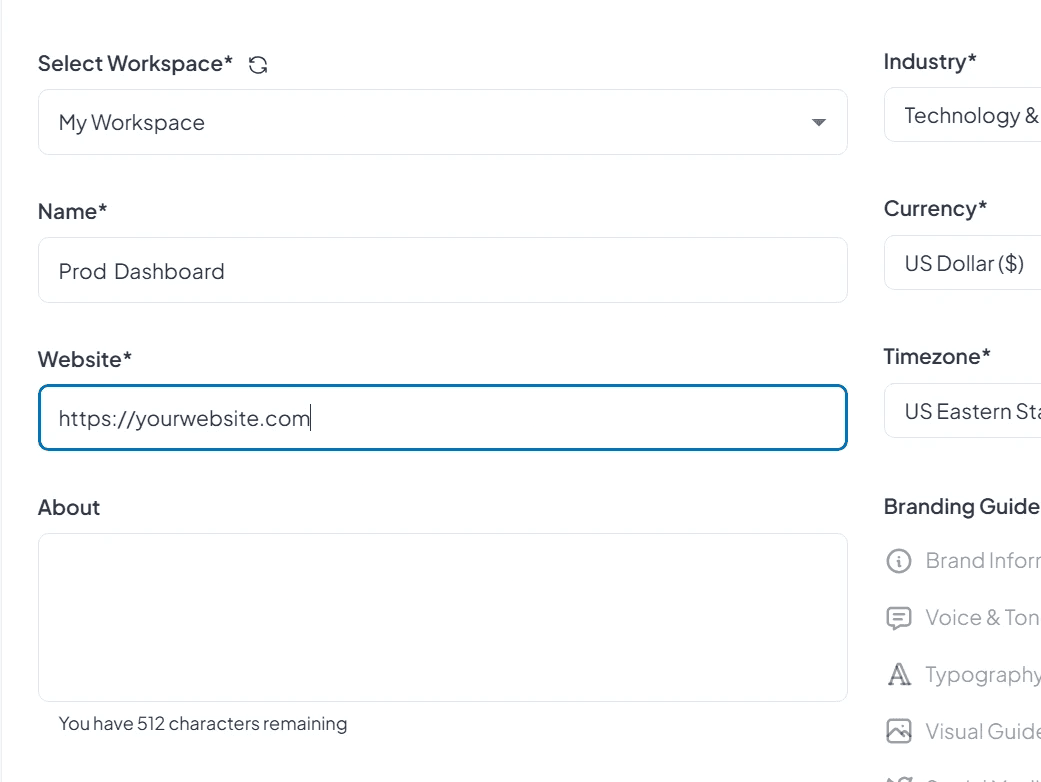
Workspace Details
This section sets the stage for collaboration and data routing. You’ll establish your workspace identity, name your analytics project for clarity, and input your primary domain to enable seamless configuration.
Select or create your workspace for team collaboration
Name your analytics project with descriptive identifiers
Set your primary website URL for automatic configuration
Industry Selection
By choosing your industry, you unlock dashboards and metrics tailored to your business model. This ensures your insights are relevant, benchmarked, and optimized for your sector.
Choose from 15+ industry categories for tailored insights
Get pre-configured dashboards relevant to your business model
Access industry-specific benchmarks

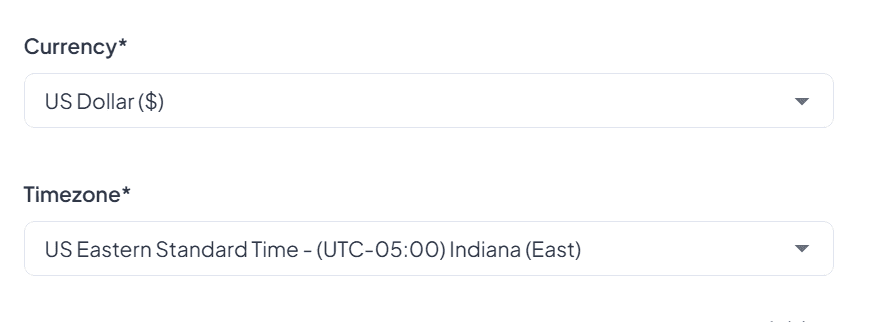
Business Preferences
Set preferences that govern how data is interpreted—ensuring every metric reflects your financial context, operating hours, and regional standards.
Set your primary currency for revenue tracking
Configure timezone for accurate reporting
Brand Guidelines (Optional)
Customize the look and feel of your dashboards and reports. These optional settings help maintain consistency across internal reviews and client-facing deliverables.
Upload brand colors and logos for campaign generators
Set brand voice and tone for AI-generated campaigns
Configure visual guidelines for client-facing reports (Entraprise)
Tracking Configuration
Configure Privacy and Tracking Preferences
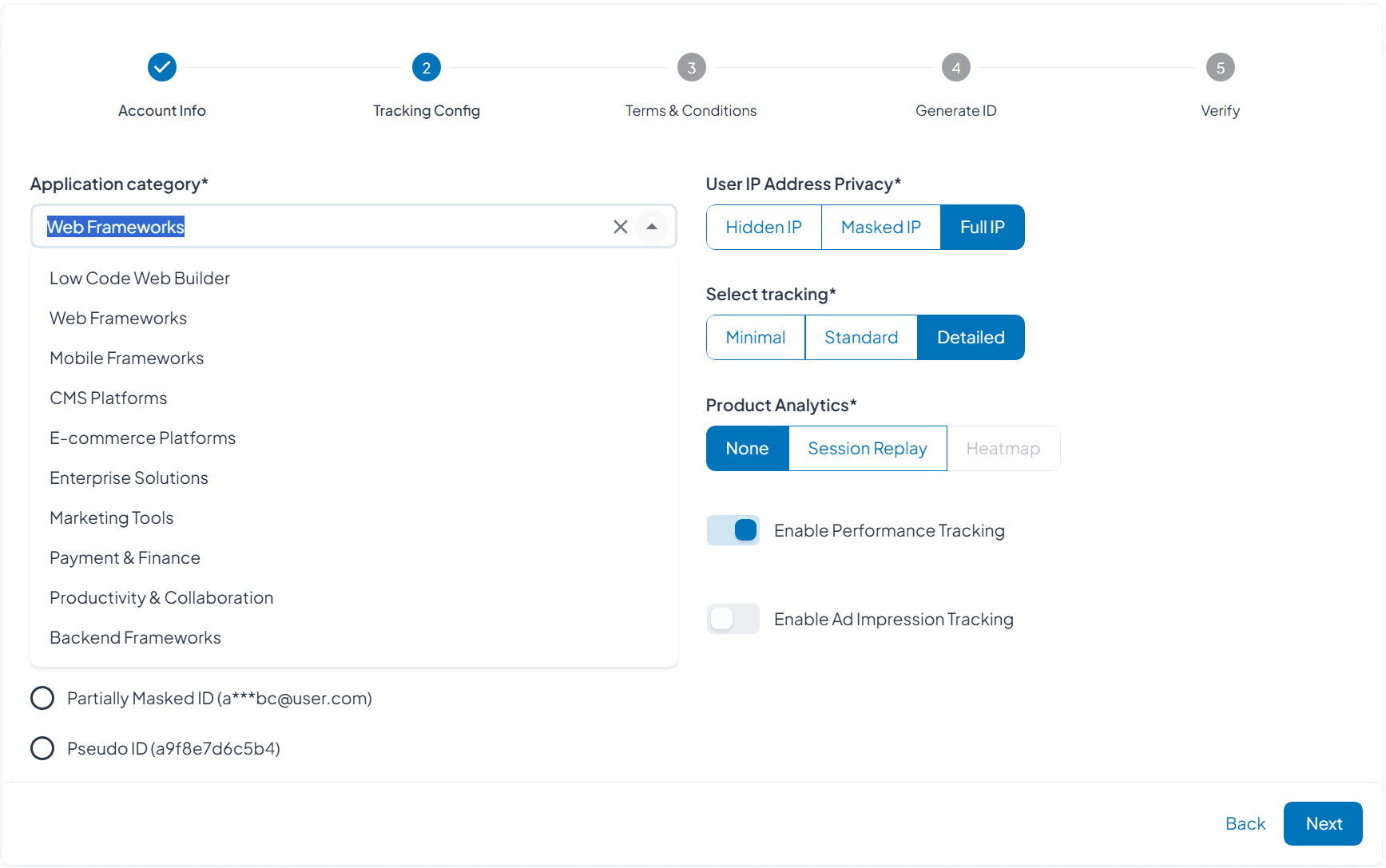
Set your organization's data collection approach with granular privacy controls. Choose from minimal, standard, or detailed tracking levels, configure IP privacy settings, and enable advanced features based on your business needs and user respect policies.

IP Address Privacy
Hidden IP: Complete anonymization for maximum privacy
Masked IP: Partial masking while retaining geographic insights
Full IP: Complete IP tracking with proper consent management
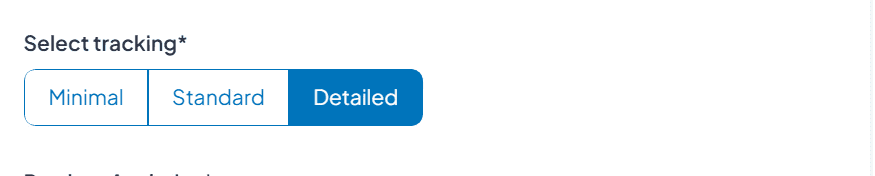
Tracking Level Selection
Minimal: Basic page views and traffic sources only
Standard: User interactions, form submissions, and engagement metrics
Detailed: Comprehensive behavior analysis with full attribution
User Identification
Full User ID (user@user.com):
Partially Masked ID: Show masked email addresses for internal reference
Pseudo ID: Generate anonymous user identifiers for session tracking
Product Analytics Options
None: Focus on traffic and conversion metrics only
Session Replay: Privacy-compliant session recordings for UX insights
Heatmap: Aggregated interaction data without individual tracking
Next Steps
Account Setup Tailored to Your Industry
Provide basic information about your workspace, industry, and business model. This helps us pre-configure relevant reports, suggest optimal tracking settings, and provide industry-specific insights from day one.
Review
Review T&C 👾
Understand exactly how RageEdge handles your data with transparent terms written in plain English. Our privacy-first approach, cookie-less architecture, and local storage policies explained clearly with no legal jargon or hidden clauses.
Review
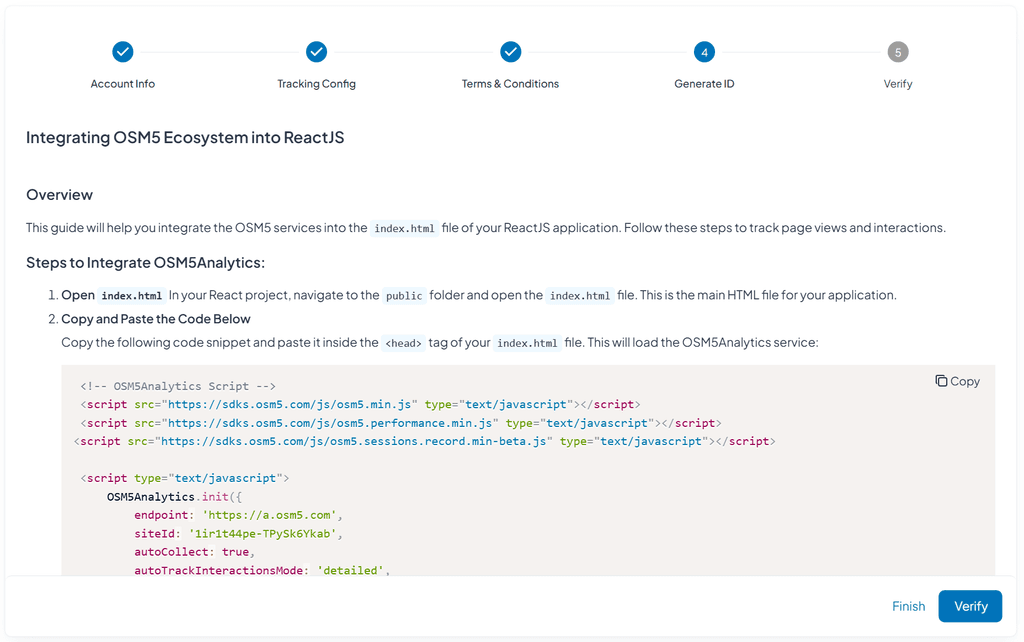
Generate Tracking ID
Receive your personalized tracking code optimized for your configuration choices. Our system generates lightweight, platform-specific code with your privacy settings, tracking preferences, and business requirements built-in.
Review
Verification & Go Live
Our automated verification system detects your tracking code installation and confirms data flow. Once verified, your analytics dashboard activates with real-time data collection, AI insights, and comprehensive reporting—ready for immediate business use.
Stuck anywhere?
Setup complete
You're Ready to Make Data-Driven Decisions
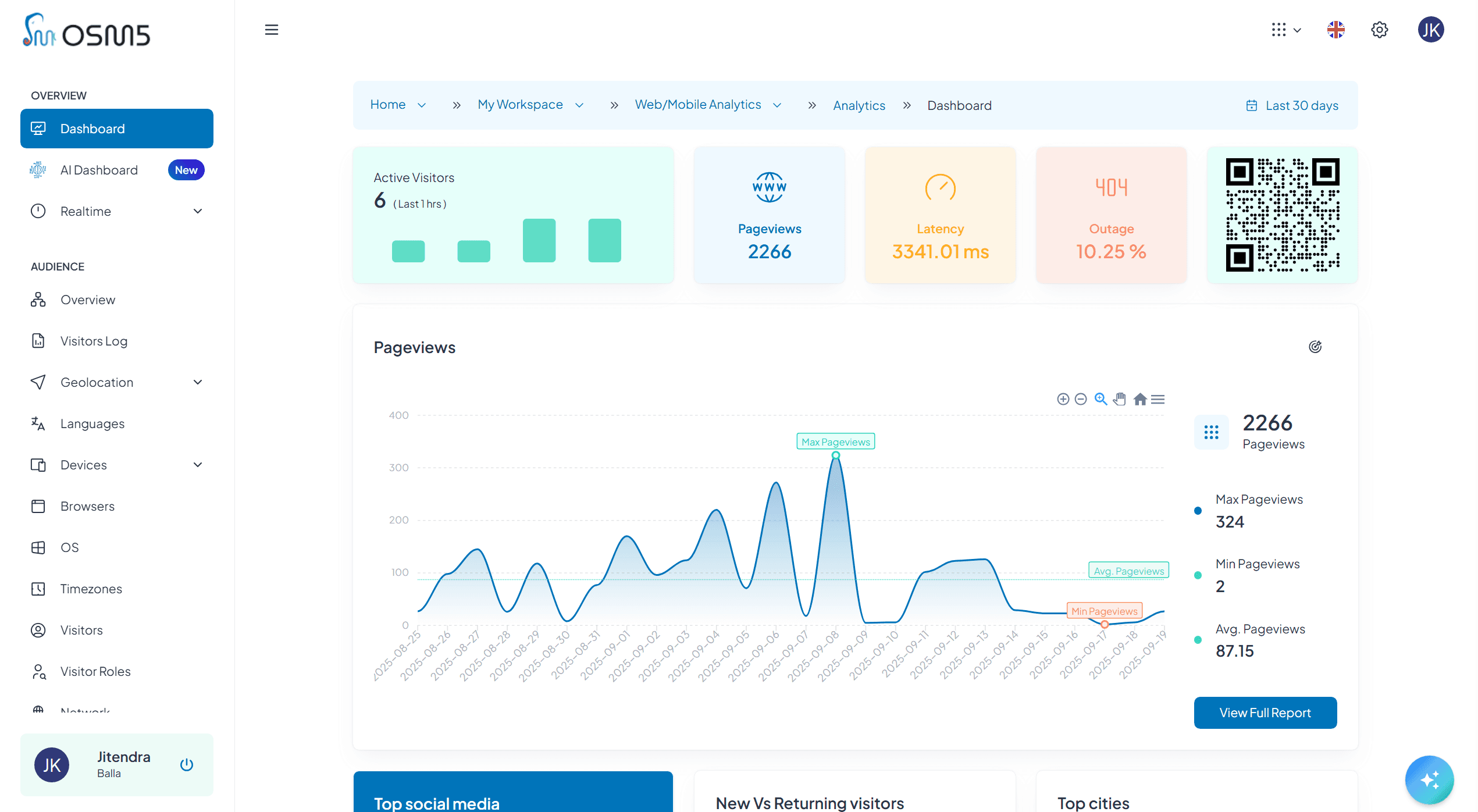
Your privacy-first analytics system is now active and tracking visitor behavior while respecting user privacy. Here are the 5 immediate capabilities now available to improve your business decisions.
1
View Real-Time Visitor Activity
See current visitors on your site, which pages they're viewing, and where they came from - all updating live in your dashboard without any personal identification.
2
Analyze Page Performance
Identify your best and worst performing pages, understand visitor behavior patterns, and spot optimization opportunities that can improve conversion rates.
3
Ask OSM5GPT
Type questions like "Which pages get the most email signups?" or "What's my bounce rate on mobile?" and get instant answers with explanations and recommendations.
4
Monitor Campaign Performance
See which marketing campaigns and traffic sources are driving the most valuable visitors and conversions, with real-time ROI analysis.
5
Track Custom Events
Monitor button clicks, form submissions, file downloads, and video plays without additional coding - all events start tracking automatically once configured.
6
Share Workspace
Add teammates with appropriate permission levels - give marketers access to campaign data, executives to summary reports, and developers to technical metrics.