Journey Orchestrator
Automation
Without Limits
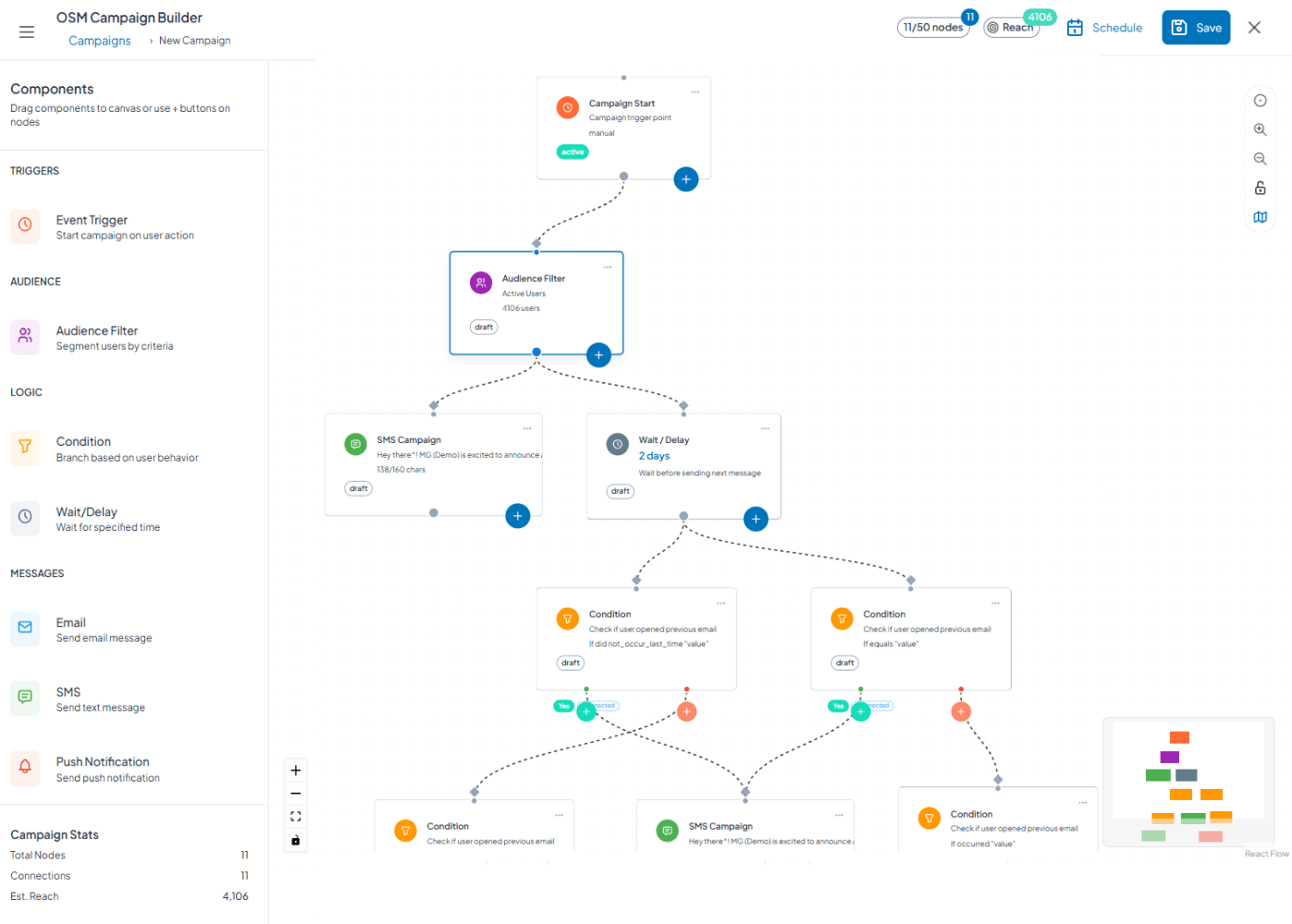
Visual workflow builder for multi-channel campaigns with conditional logic and behavioral triggers. Create adaptive customer journeys that optimize in real time—no code needed.

Your Brand DNA, Digitally Enforced
Discover More AI-Powered Tools
Visual workflow builder for creating sophisticated multi-channel campaigns with conditional logic, behavioral triggers, and intelligent optimization. Build customer journeys that adapt to engagement in real-time—no coding required, no compromises on complexity.

Visual Drag-and-Drop Canvas
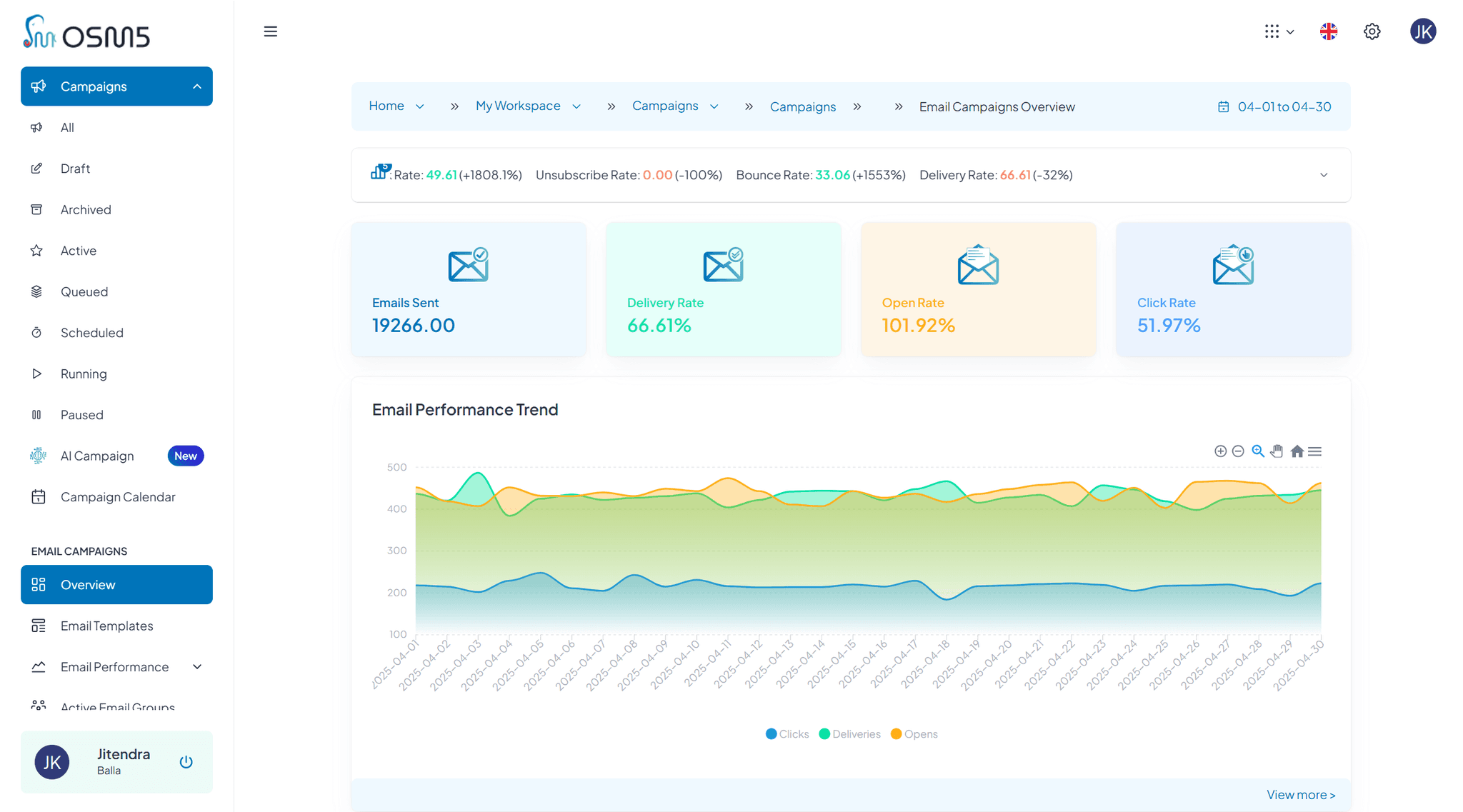
Build complex automation workflows by dragging components onto canvas and connecting them visually. Create sophisticated multi-step, multi-channel campaigns without writing code. See entire customer journey at a glance.

Dynamic Audience Targeting
Define entry criteria with all users, specific segments, or custom filters based on demographics, behavior, attributes, and engagement. Dynamic audiences update in real-time—new qualifying users enter automatically in recurring flows.
Flexible Entry Frequency
Control how users enter flows with one-time entry (user enters once ever), multiple allowed (re-entry if qualifies again), re-entry delays (wait X days after exit), or maximum entry limits.
Intelligent Time Controls
Add fixed delays (minutes to weeks), wait until specific times/dates, hold for conditions to be met, or use AI-powered optimal send time that delivers to each user's peak engagement window.
Timezone-Aware Scheduling
Send "at 10am recipient local time" for global campaigns. Automatic timezone detection from user behavior, respect for daylight saving changes, and business hours restrictions prevent off-hours messaging.
Multi-Channel Message Nodes
Send via email, SMS, WhatsApp, or push notifications in any sequence. Select templates, override content dynamically, insert personalization variables, choose gateways, and A/B test variations—all within flow.
Analytics Event Triggers
React to user behavior in real-time. Trigger actions when users visit pages, complete actions, use features X times, or perform custom events tracked by Analytics product. Filter by event properties and time windows.
Commerce Event Automation
Respond to shopping behavior instantly. Trigger flows from product views, cart additions, checkout starts, purchases, refunds, price drops, or inventory restocking. Filter by product, category, price, or quantity.
Email Engagement Conditions
Branch flows based on email behavior—sent, delivered, opened, clicked (any or specific link), bounced, marked spam, unsubscribed, or send failed. Create different paths for engaged vs. disengaged recipients.
SMS Engagement Branching
Route users based on SMS actions—sent, delivered, clicked, failed, or opted out. Follow up with different channels based on SMS response or lack thereof.
WhatsApp Interaction Logic
Branch on WhatsApp events—sent, delivered, read (read receipts), button clicked, bounced, spam reported, unsubscribed, or failed. Build conversational flows that adapt to engagement level.
A/B Testing Result Triggers
Trigger campaigns based on which variant users experienced. Send follow-up messaging aligned with variant they saw, celebrate conversions from winning variants, or re-engage non-converters from losing variants with alternative approaches.
Push Notification Response Paths
Create conditions for push actions—sent, delivered, opened, action button clicked, dismissed, bounced, unsubscribed, or failed. Reduce push frequency for users who dismiss, increase for engaged users.
Advanced Analytics Conditions
Sophisticated behavioral branching with "occurred," "not occurred," "occurred exactly X times," "occurred more than X," "occurred less than X," "first time occurred," or "did not occur within timeframe."
Multi-Path Conditional Splits
Route users to 3+ different paths based on engagement levels, user attributes, or behavior patterns. Example: highly engaged → VIP treatment, moderately engaged → standard nurture, disengaged → re-engagement sequence.
Engagement Scoring Logic
Calculate cumulative engagement scores based on multiple actions. Route users through different experiences based on scores—high scores get upgrade offers, low scores get educational content.
Attribute-Based Routing
Branch flows on user characteristics like plan type, company size, industry, geographic region, or any custom attribute. Deliver personalized experiences matching user profile.
Webhook Event Triggers
External systems can trigger flow actions. Payment processor confirms transaction → continue flow. CRM marks deal closed → start onboarding. Support ticket resolved → send satisfaction survey.
Wait for Webhook Confirmation
Pause flows until external systems respond. Wait for payment processing, inventory availability checks, manual approvals, or third-party confirmations before proceeding to next step.
Built-In A/B Split Testing
Test message variations, timing differences, channel sequences, or offer amounts within flows. Define winner criteria (open rate, click rate, conversion, revenue), calculate statistical significance automatically, and route remaining traffic to winner.
Goal Tracking & Conversion
Define success metrics per flow—trial signups, purchases, feature adoption, or custom events. Track conversion rates by path, time to goal completion, revenue per conversion, and goal achievement by segment.
Flow Templates Library
Start with proven patterns for welcome series, abandoned cart recovery, re-engagement campaigns, trial conversion, product launches, and upsell sequences. Clone, customize, and adapt templates to your needs.
Real-Time Flow Analytics
Monitor flows as users progress through them. See entry volume, active user count, completion rates, drop-off points, branch path distribution, and goal achievement rates in real-time.
Step-by-Step Performance
Analyze each flow step individually. Identify where users drop off, which messages drive engagement, which delays are too long/short, and which branches perform best.
Flow Comparison & Benchmarking
Compare performance across multiple flows. Identify patterns in successful flows, spot underperforming campaigns, and replicate winning approaches across different use cases.
Version Control for Flows
Save flow versions before major changes. Document what changed and why, test new versions thoroughly, and roll back if issues arise. Maintain history of flow evolution.
Collaboration & Annotations
Add comments to flow steps explaining logic for team members. Annotate complex branches, document business rules, and maintain institutional knowledge within flows themselves (Coming Soon).
Flow Duplication & Cloning
Copy existing flows as starting points for new campaigns. Clone successful flows for different segments, duplicate seasonal campaigns for next year, and build flow libraries for common patterns.