Journey Orchestrator
Automation
Without Limits
Visual workflow builder for multi-channel campaigns with conditional logic and behavioral triggers. Create adaptive customer journeys that optimize in real time—no code needed.




Why Choose Campaign Management?
You want to send different follow-ups based on who opened emails, clicked links, or made purchases. But building this requires engineering tickets, API work, and weeks of development. Simple workflow changes need developer sprints. Email platforms can't talk to SMS platforms. SMS doesn't know about push engagement. WhatsApp lives in a separate system. Orchestrating across channels requires manual coordination. Static campaigns can't respond to behavior—everyone gets the same follow-up regardless of engagement. Testing hypotheses about timing, messaging, or sequencing requires building two separate workflows manually and comparing results in spreadsheets.
Automation needs engineering resources always
Workflow changes require developer tickets
Multi-channel coordination is manual
Static campaigns can't adapt
Behavioral triggers impossible to implement
Marketing waits while opportunities pass
All-in-One Campaign Hub
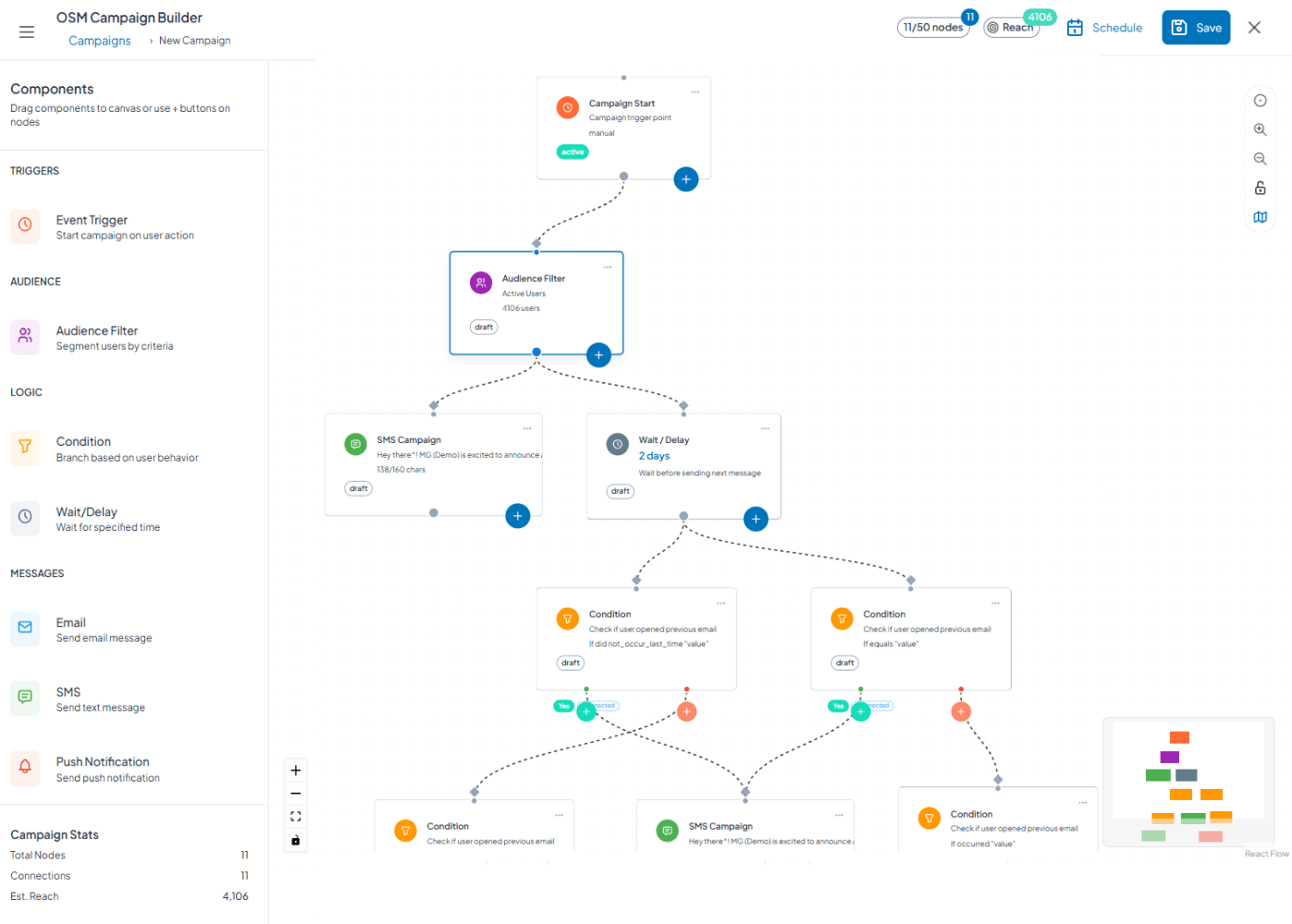
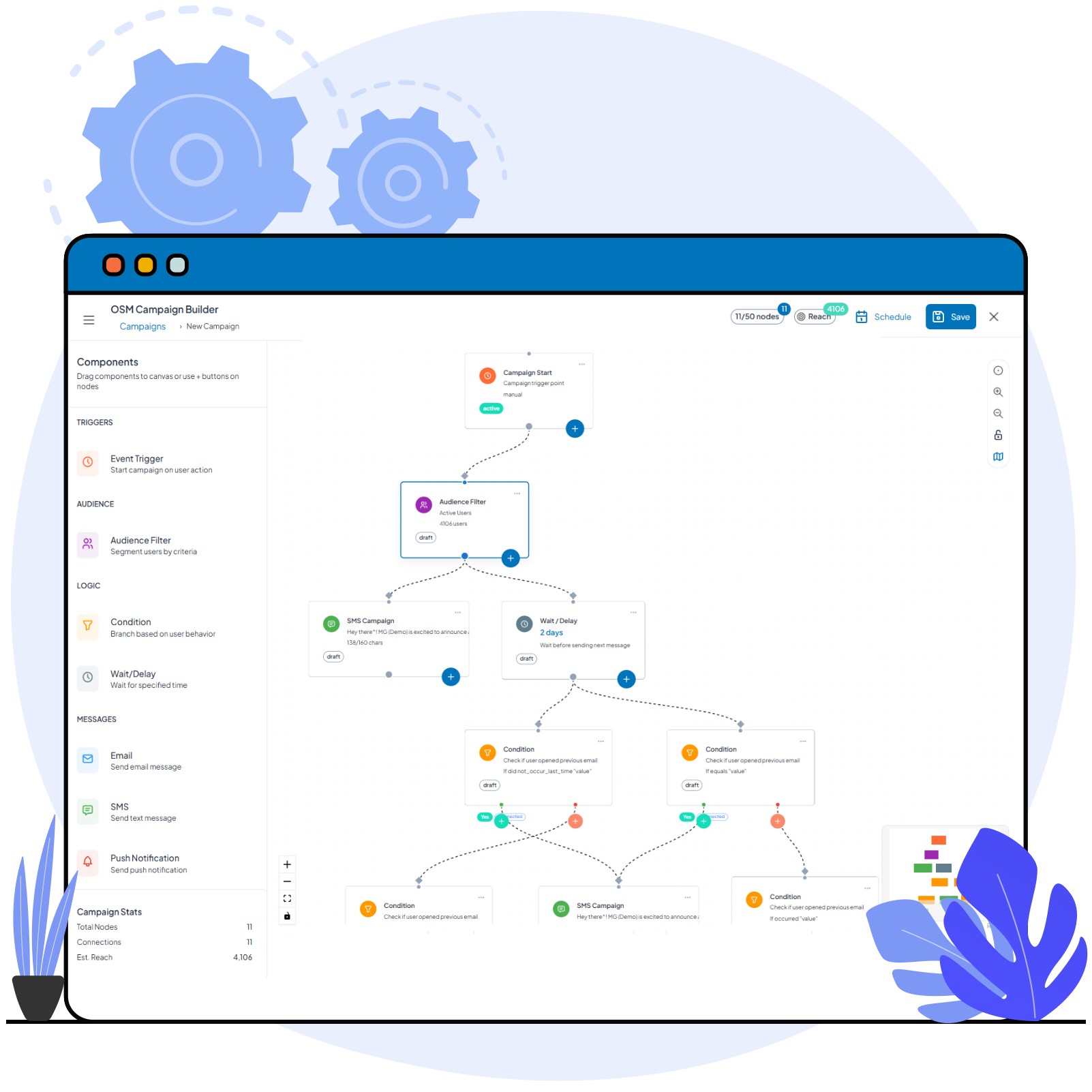
Drag-and-drop workflow builder creates sophistication without code. Send email, wait for opens, branch based on clicks, trigger from purchases—all visual. Coordinate email, SMS, WhatsApp, push seamlessly. Flows respond to behavior automatically: user opened → send follow-up content, user didn't open → wait longer try SMS, user clicked but didn't convert → send offer, user converted → exit to loyalty flow. Behavioral logic, event triggers from 23+ RageEdgeAI products, conditional paths—Journey Orchestrator puts complex automation in marketers' hands completely.
Visual drag-and-drop, zero coding
Real-time behavioral adaptation
Our ecosystem provides complete intelligence
Multi-channel orchestration seamless
Marketers launch independently
Changes happen instantly
Every Standard, Structured for Scale
Core Features
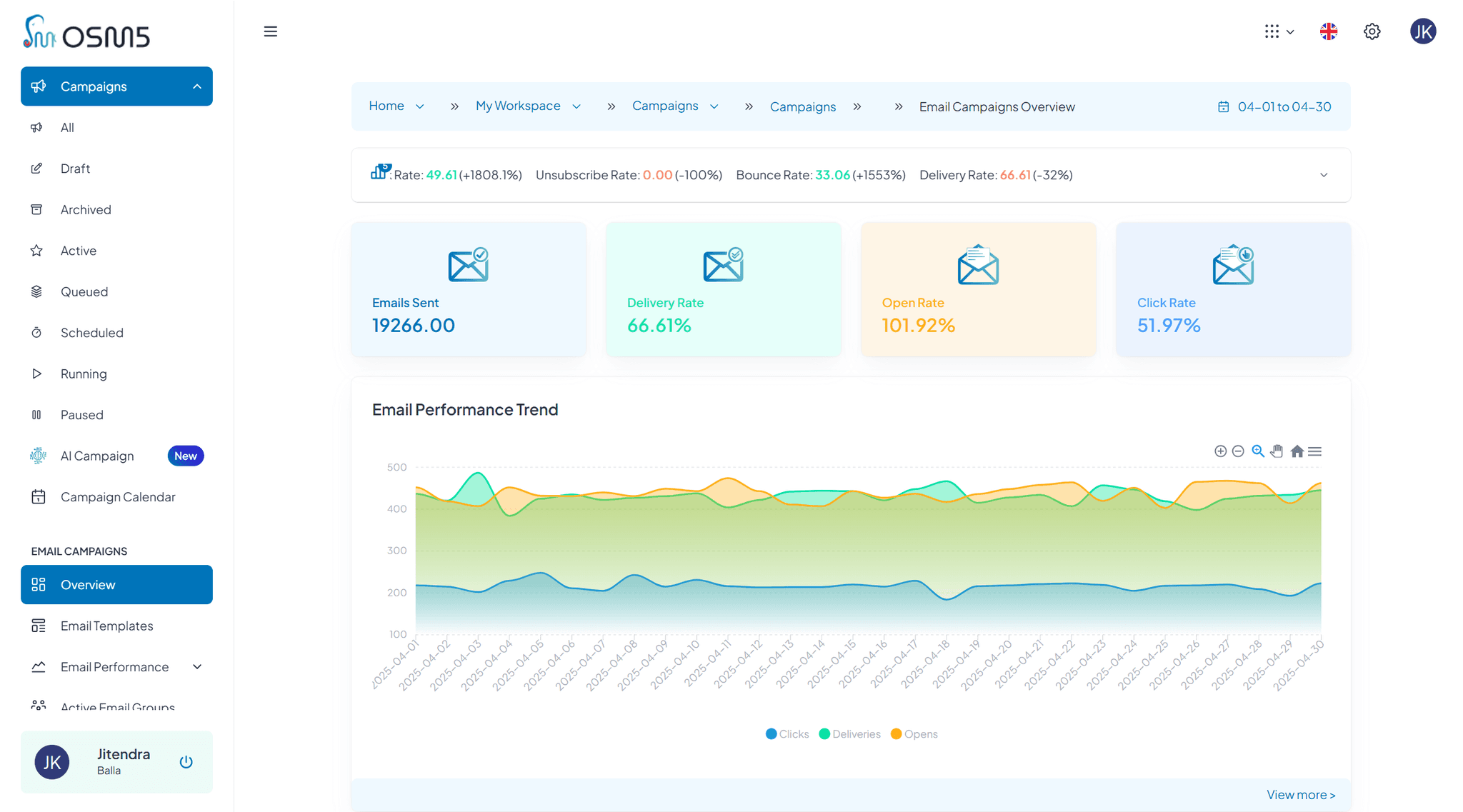
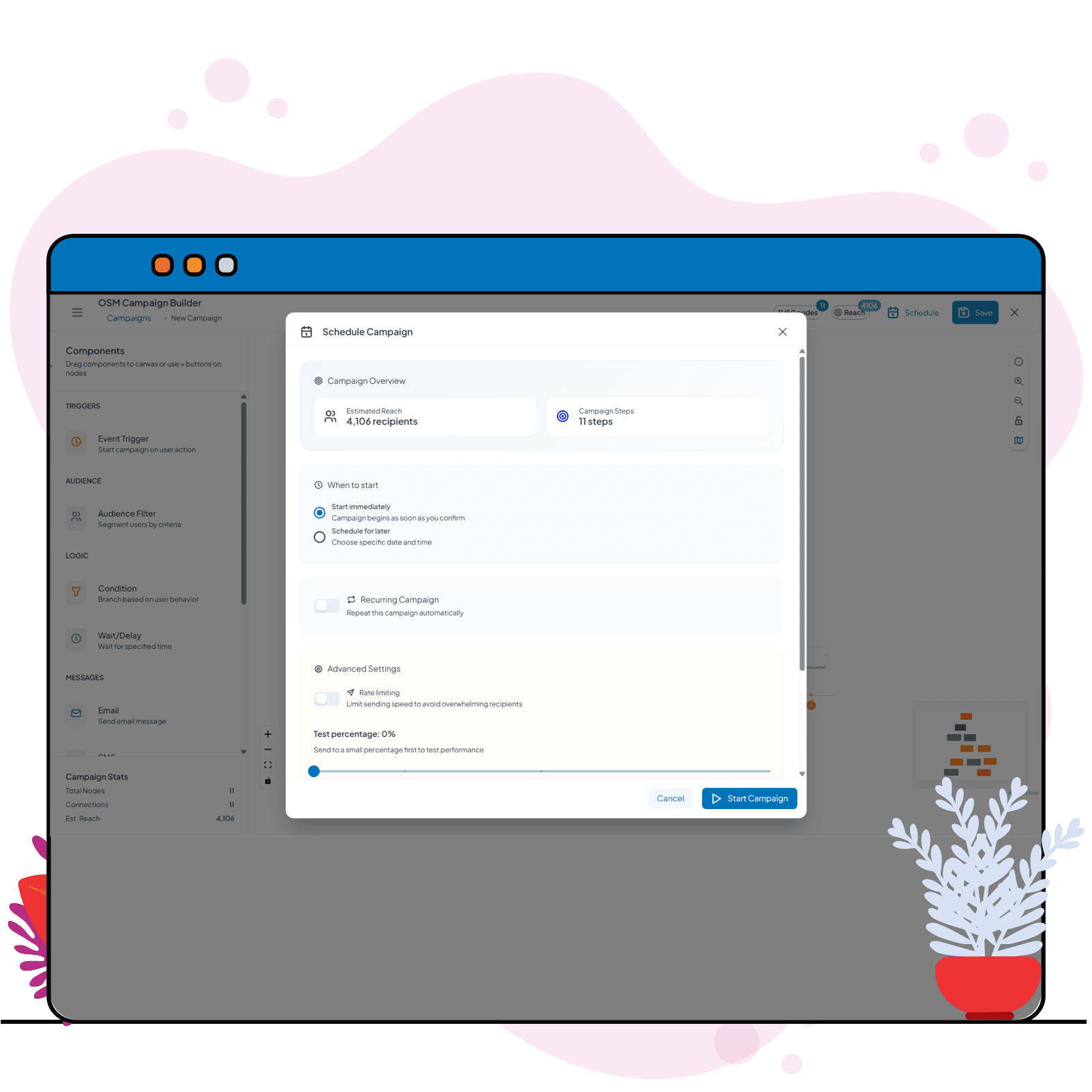
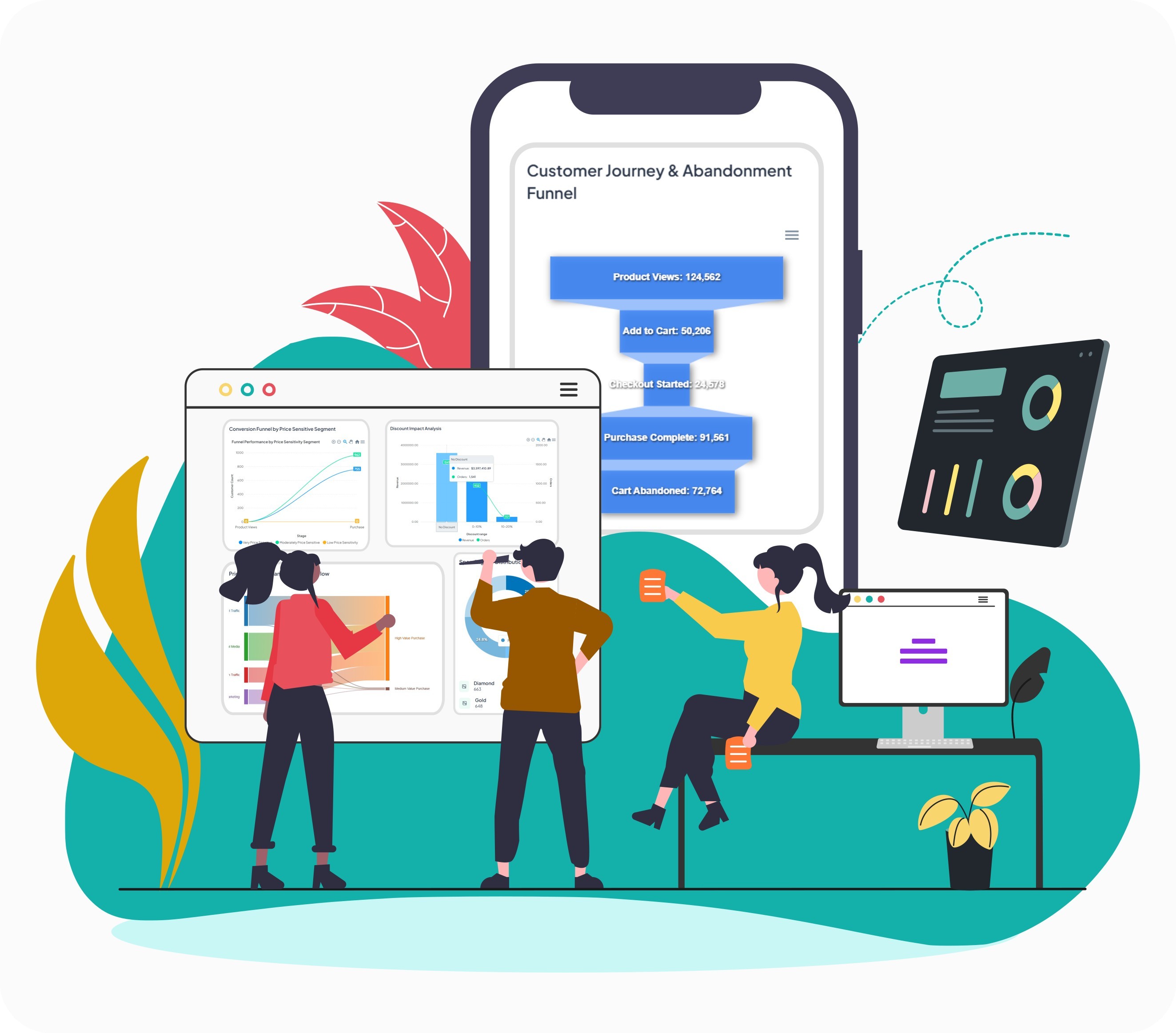
Drag-and-drop workflows adapt in real-time to user behavior, coordinating email, SMS, WhatsApp, and push—no coding, instant results.
Orchestrate Smarter, Personalized Journeys
Use Cases and Industries
Leverage Journey Orchestrator to create adaptive, multi-channel flows tailored to each industry’s unique customer behaviors, maximizing engagement, retention, and conversions.
Set Up in a Single Day
Implementation Guide
Build your Brand Intelligence in 8–12 hours—from audit to AI testing—without needing tech help.
01
Define Goal
What outcome do you want?
Who should enter the flow?
What triggers next steps?
How will you measure success?
02
Step 2
Design Structure
Sketch flow on paper/whiteboard
Identify key decision points
Plan conditional branches
Define exit conditions
03
Build on Canvas
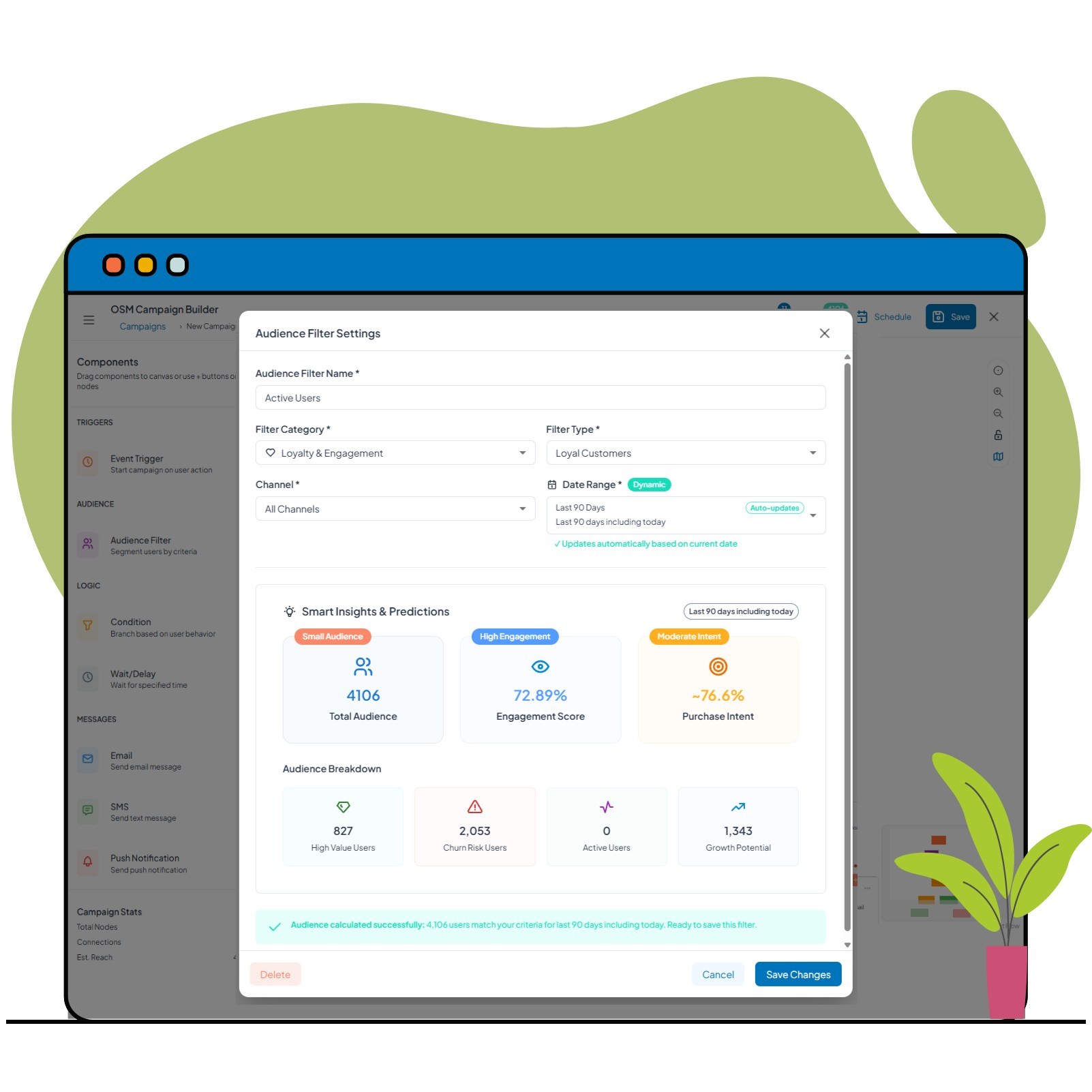
Drag "Audience" component → Define entry criteria
Drag "Email" component → Select template
Drag "Delay" component → Set wait time
Drag "Condition" component → Set up branch logic
Create Yes/No paths with different messages
Drag "Goal" component → Define success metric
Connect all components with lines
04
Configure Details
Set sender names/addresses
Configure dynamic variables
Choose sending gateways
Set tracking parameters
Define success metrics
05
Test Flow
Click "Test Mode"
Enter test user data
Simulate user journey
Send test messages to yourself
Verify conditional logic works
Check timing feels right
Validate goal tracking
☆
Launch
Final flow review
Set live date/time (now or scheduled)
Click "Enable Flow"
Monitor initial performance in dashboard
Flow Design Best Practices
Best Practices
Start simple, expand over time, and let performance data refine your brand intelligence automatically.
8
Iterate Based on Analytics
Continuously analyze flow performance, identify drop-offs, and optimize branches to maximize engagement and outcomes.


FAQ